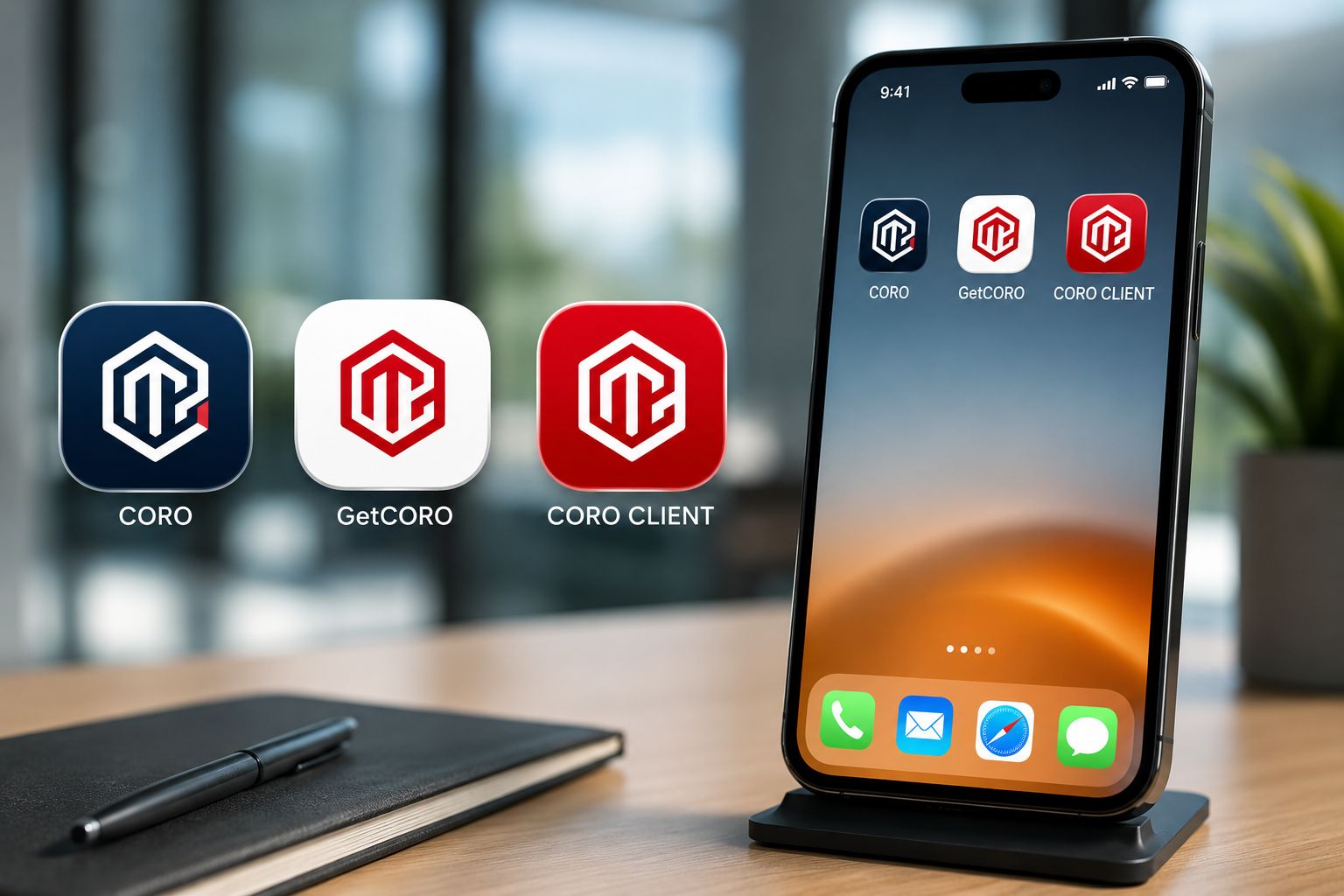
Emergency management professionals do not work exclusively behind a desk. Client meetings, technical site assessments, travel, building visits and field activities are all part of their day-to-day reality. CORO was therefore designed as a web-based ecosystem that can be accessed across multiple devices. The professional platform, GetCORO website and client portal can also be installed directly on the home screen of a compatible mobile device for faster and more convenient access.
Three Access Points. One CORO Ecosystem.
CORO is not built around a single interface intended for every type of user.
The ecosystem includes three distinct environments, each with a specific purpose:
CORO Professional Platform
The professional environment used by consultants and organizations to manage projects, buildings, documents, activities and operational workflows.
GetCORO
The public web environment providing access to CORO information, resources, document pages and specialized blog content.
CORO Client Portal
The environment designed for clients to access their information, review documents and participate in the validation and approval process.
The goal is not to turn three websites into three unrelated tools. It is to provide direct access to each component of the same ecosystem according to the user's role.
What Is an Installable Web Application?
An installable web application allows a compatible web environment to be added directly to the home screen of a mobile device.
An icon then appears alongside the other applications on the device. The user can launch the CORO environment directly from that icon instead of opening a browser, searching through bookmarks or entering the service address.
It is important to distinguish this approach from a native mobile application distributed exclusively through an app store.
CORO remains a web-based SaaS platform. Installing it on a home screen is primarily intended to provide faster access and a more application-like experience on compatible devices.
Why Install CORO on Your Phone?
The most immediate benefit is convenience.
A professional environment that is used regularly should not require several steps simply to open it.
The difference may seem minor when considered once. It becomes much more useful when a professional accesses the platform repeatedly throughout the week.
01 — The CORO Professional Platform in the Consultant's Pocket
The main CORO platform remains the professional working environment.
It connects project and mandate management with document production and compliance management , activity tracking and the organization's various workflows.
On a computer, professionals naturally have a larger and more comfortable workspace for long editing sessions, detailed analysis and complex document production.
Mobile access addresses a different need.
During a meeting or while travelling, a consultant may need to quickly check a project, confirm information about a building, review the status of a mandate or see which activities have been assigned.
Mobile access does not necessarily replace the workstation. It extends it.
From the Office to the Field
This continuity between devices is especially relevant in emergency management because professional work frequently alternates between different environments.
At the Office
Detailed document production, analysis, review, portfolio management and work requiring a larger display.
While Travelling
Quickly review a mandate, activity, deadline or relevant information before a meeting.
At the Client Site
Access the CORO environment without always having to return to the workstation.
In the Field
An additional access point to professional information when a mobile phone is the most readily available device.
Mobile ERP Software Does Not Mean Writing 150 Pages on a Phone
When discussing mobile Emergency Response Plan software or emergency management applications on smartphones, it is important to remain realistic about how those devices are used.
A phone is not always the ideal device for a long document-editing session.
The real value of mobility comes from being able to quickly return to the working environment whenever it is needed.
A truly multi-device platform allows the user to choose the device best suited to the task:
- computer for complex work and extended document editing;
- tablet when a larger mobile display is useful;
- phone for fast access and consultation while travelling.
02 — GetCORO as a Direct Access Point to Resources
The second installable environment is the GetCORO website.
Its role is different from the professional platform. GetCORO serves as the public gateway to the CORO ecosystem.
It provides access to information about CORO, operational compliance resources, different document families and specialized blog articles.
Professionals can, for example, access information about:
- the Emergency Response Plan (ERP) ;
- the Fire Safety Plan (FSP) ;
- other document families supported by CORO;
- compliance document management practices;
- project and mandate management;
- specialized resources and articles.
Installing GetCORO therefore provides a direct shortcut to these resources from the mobile device.
03 — The Client Portal Directly on the Home Screen
For clients, the value of direct mobile access is different again.
The CORO Client Portal is their own environment within the ecosystem.
Instead of keeping track of a URL or searching for a previous email, a client can keep a CORO icon directly on the phone and return to the portal whenever necessary.
This provides easier access to the environment associated with their organization and buildings.
Mobile Access Becomes Even More Useful During Client Review
The CORO Client Portal is no longer simply a place where a final document is deposited.
It is part of a structured document review and approval workflow.
Direct access from the phone therefore reduces the friction involved in returning to the portal whenever an action is expected from the client.
A Client Portal That Can Support the Building Lifecycle
The client relationship does not always end once one document has been produced.
Depending on the services provided, several activities may continue to be associated with the building:
- document reviews;
- updates;
- planned activities;
- drills;
- training;
- new mandates.
A portal that can be accessed easily across devices can therefore become a long-term entry point into the relationship between the client organization and the professional team.
How Is an Installed Icon Different From a Browser Bookmark?
A browser bookmark and an installed web application may both lead to the same service.
The main difference is the user experience.
| Traditional Browser Access | Installed Web Application |
|---|---|
| Open the browser | Tap the CORO icon directly |
| Locate the address or bookmark | The environment appears alongside other applications |
| Browser-centered navigation | A more application-centered experience |
| The service can become buried among bookmarks | Permanent visibility on the home screen |
This distinction becomes particularly useful for people who access the service regularly.
How to Install CORO on Android
On a compatible Android device, the browser can generally provide an installation option when it recognizes that the web environment can be added to the device.
-
Open the CORO environment you want to install
Access the professional platform, GetCORO or the client portal. -
Open the browser menu
Available options may vary depending on the browser and its version. -
Select the installation option
Look for an option such as “Install app” or “Add to Home screen.” -
Confirm the installation
The corresponding icon can then appear among the device's applications or on the home screen.
How to Install CORO on iPhone or iPad
On compatible Apple devices, a web environment can also be added to the home screen through the browser.
-
Open CORO in Safari
Navigate to the environment you want to keep on the device. -
Open the Share menu
Access the sharing options for the current page. -
Select “Add to Home Screen”
The exact wording or location may vary according to the iOS version. -
Confirm
An icon that launches the CORO environment directly will then appear on the home screen.
All Three Environments Can Coexist on the Same Device
Because each component serves a different purpose, all three access points can coexist on the same compatible device.
CORO
Access to the professional working platform.
GetCORO
Access to public information, resources and specialized content.
CORO Client
Access to the environment reserved for clients.
This separation makes the purpose of each access point immediately clear.
Installing CORO Does Not Create a Separate Copy of Your Data
CORO remains a centralized SaaS environment.
Installing an icon on a mobile device does not mean creating an independent second version of projects or documents.
The user is accessing the same CORO environment through a different entry point.
Computer, tablet or phone: the goal is to access the same work environment rather than multiply copies of the same information.
Mobile Access Does Not Change User Roles
Accessing CORO from a phone does not change the user's role within the ecosystem.
Consultants continue to use the professional platform. Clients continue to use their dedicated portal.
This distinction matters because professional mobile access should not mean that every user suddenly receives access to every part of the platform.
Mobility changes the method of access. Roles, permissions and workflows remain structured according to the environment and user profile.
Accessible Anywhere Does Not Mean Every Task Should Be Done on a Phone
The objective of CORO mobile access is not to make the smartphone the primary tool for every task.
Different devices offer different advantages.
| Device | Especially Suitable For |
|---|---|
| Computer | Complex document production, detailed analysis, advanced management and extended work sessions. |
| Tablet | Mobile consultation when a larger display is useful. |
| Phone | Quick access, consultation and continuity while travelling. |
True mobility means allowing users to choose the most appropriate device for the situation.
From Desktop Software to a Multi-Device Ecosystem
Professional software was once closely tied to a specific workstation.
A SaaS platform enables a different model: the work environment can follow the user from one device to another.
For CORO, this approach complements the platform's four operational cycles:
These functions are no longer limited to a fixed workstation. Users can access the environment associated with their role from a compatible device whenever needed.
FAQ — CORO on Mobile
Does CORO work on mobile phones?
Yes. CORO web environments are designed to be accessible from compatible mobile devices. The ideal use may vary depending on screen size and the type of work being performed.
Is there a CORO mobile app?
CORO is primarily a web-based SaaS platform. Its different environments can be installed on the home screen of a compatible device to provide direct access similar to an application.
Do I need to download CORO from an app store?
Web installation does not necessarily require searching for CORO in an app store. Installation can be performed directly from the compatible browser used to access the CORO environment.
Can I install CORO on an iPhone?
Yes. A compatible CORO web environment can be added to the home screen of an iPhone or iPad using the options available in Safari.
Can I install CORO on Android?
Yes. On a compatible Android browser, the installation or “Add to Home screen” option can be used to create direct access to the desired CORO environment.
Does the CORO Client Portal work on mobile?
Yes. The client portal is designed to be accessible on mobile so clients can return to their CORO environment from different devices.
Do consultants and clients use the same application?
No. They are part of the same CORO ecosystem but use separate environments. Consultants work in the professional platform while clients access their dedicated portal.
Can an entire Emergency Response Plan be produced from a phone?
The platform may be accessible from a compatible phone, but complex document production and extended editing are naturally more comfortable on a computer or a device with a larger display. Mobile access is primarily designed to provide continuity and convenient access according to the working context.
Are my projects different on my computer and phone?
No. The principle of a SaaS environment is to provide access to the same working environment from different devices according to the user's authentication and permissions.
Take the CORO Ecosystem With You
Professional platform, GetCORO resources and client portal: access the environment you need from your computer, tablet or mobile device.
Discover CORO