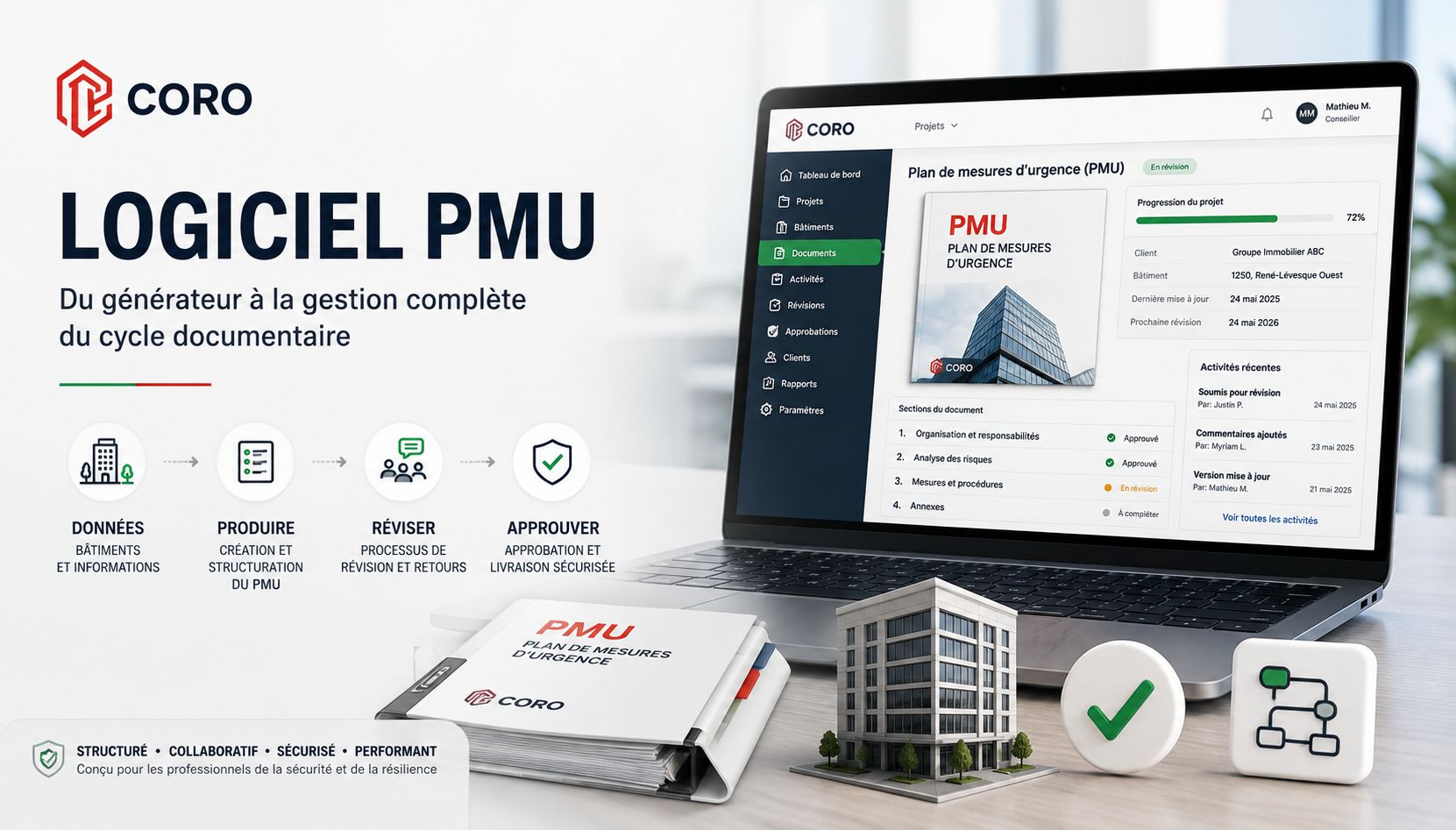
Emergency response plans are still often produced using a combination of general-purpose tools: word processors, spreadsheets, emails, shared folders, forms, calendars and internal tracking systems.
This approach can work when an organization manages only a few documents. However, it becomes significantly more complex when multiple clients, buildings, projects, consultants, document versions and review processes must be managed simultaneously.
Emergency response plan software is designed to structure this production process and centralize the information required throughout the document lifecycle.
But not every tool addresses the same need.
A document generator, a document management system and a comprehensive emergency management platform can provide very different capabilities.
So, how do you choose emergency response plan software for professional use?
What Is Emergency Response Plan Software?
Emergency response plan software is a digital solution designed to support the creation, structuring, management, review and maintenance of an organization's emergency plans.
Depending on the platform, it may help centralize:
Clients & Facilities
Client information, buildings, facilities, contact details, technical data and site characteristics.
Documents & Procedures
Emergency plans, procedures, roles, responsibilities and supporting documents.
Review & Approval
Versions, comments, returns, corrections, approvals and decision history.
Activities & Deadlines
Activities, deadlines, responsibilities and the tasks required to maintain the plan.
The most comprehensive solutions go further.
They integrate the emergency plan into a complete document production and project management lifecycle.
The plan is no longer treated simply as a Word or PDF file. It becomes the result of a structured process involving data, responsibilities, validations, deadlines and multiple stakeholders.
To learn more about the document itself, visit our page dedicated to the Emergency Response Plan (ERP) .
Why Do Traditional Office Tools Eventually Reach Their Limits?
Word processing software remains an excellent tool for writing professional documents.
The issue is not its ability to produce a high-quality document.
The challenge appears when those tools are also expected to manage everything surrounding the document.
Consider a consultant responsible for dozens of emergency response plans.
- multiple clients;
- multiple buildings for each client;
- different versions of the same document;
- information collected during site visits;
- requested corrections;
- internal reviews;
- approvals;
- deadlines;
- hours spent on the project;
- future updates;
- documents delivered to the client.
This information often becomes distributed across several different tools.
Documents
Stored in folders or shared environments.
Hours
Tracked in another application or spreadsheet.
Feedback
Received through email or added directly to files.
Deadlines
Managed separately in a calendar or task management system.
Document versions may eventually have names such as ERP_Final.docx, followed by ERP_Final_V2.docx and eventually ERP_Final_V2_CORRECTED_FINAL.docx.
This approach is not necessarily problematic at a small scale. But as project volume increases, traceability and standardization become increasingly important.
Emergency Plan Generator or Management Platform: What Is the Difference?
The distinction is important.
Emergency Plan Generator
Its primary purpose is to produce a document from information supplied by the user.
- data collection;
- forms;
- predefined structure;
- document generation.
Emergency Planning Platform
It supports the document throughout a much broader lifecycle.
- project management;
- document production;
- quality control;
- review and approval;
- delivery;
- ongoing maintenance.
This difference becomes particularly important for consulting firms and organizations managing a significant number of facilities or emergency plans.
10 Capabilities to Look for in Emergency Response Plan Software
Structure the Data
Organize building information, systems, equipment, hazards, responsible personnel and technical documentation before production begins.
Standardize Production
Apply a consistent document architecture across consultants, clients and facilities.
Automate Intelligently
Reduce repetitive data entry and automate selected operations without replacing professional analysis.
Control Quality
Integrate a structured internal review process before the document is delivered.
Manage Client Review
Support feedback, corrections, returns and resubmissions through final approval.
Manage the Project
Connect the document to activities, deadlines, responsibilities, planned hours and deliverables.
Measure Performance
Compare planned and actual hours, monitor progress, delays and production capacity.
Maintain the Plan
Track reviews, versions, updates, changes and activities required after delivery.
Provide Client Access
Offer clients a separate environment where they can access documents and participate in validation workflows.
Support Multiple Devices
Provide an effective experience across computers, tablets and mobile devices.
1. Structure the Data Before Producing the Emergency Plan
A reliable emergency plan begins with the quality of the information used to produce it.
Before writing begins, several types of information may need to be collected:
- building identification;
- contact information;
- facility characteristics;
- fire protection systems;
- emergency equipment;
- available resources;
- responsible personnel;
- designated emergency roles;
- specific hazards;
- applicable procedures;
- technical plans and supporting documents.
The emergency response plan therefore becomes the product of a structured information environment rather than an isolated document.
2. Standardize Document Production
Standardization is one of the main advantages of specialized emergency planning software.
Within a team of several consultants, each professional naturally develops individual working habits.
This can lead to differences in:
- document structure;
- terminology;
- presentation;
- procedures;
- level of detail;
- quality control methods.
A structured platform makes it possible to establish a common document architecture.
The objective is not to eliminate the consultant's professional judgment. The system should handle repetitive and structural tasks so professionals can dedicate more time to analyzing the building, hazards, operations and client requirements.
This principle is at the core of CORO's structured document management environment.
3. Automate Production Without Automating Professional Expertise
Document automation can generate significant productivity gains.
However, it must be used appropriately.
An emergency response plan should not be treated as a generic document that can be generated automatically without analysis.
Two buildings may have very different characteristics even when they belong to the same type of occupancy or facility.
- structure information;
- reduce repetitive data entry;
- apply a consistent document architecture;
- automatically integrate selected data;
- facilitate document production;
- reduce administrative errors;
- accelerate selected verification processes.
Automating production does not mean automating expertise. The professional remains responsible for analysis and determining whether the content is appropriate.
4. Integrate a Real Quality Control Process
Producing a document should not automatically lead to its delivery.
A professional process generally includes a quality control stage.
This approach creates genuine traceability throughout the quality control process while reducing dependence on multiple email exchanges and file copies.
5. Manage Client Review and Approval
Internal review is only one stage of the process.
The client may also need to review the document before final approval.
This cycle can be repeated as many times as necessary.
Comments, decisions and versions remain associated with the document and the project.
6. Manage the Project, Not Just the Document
This is one of the most important differences between an emergency plan generator and a professional management platform.
An emergency response plan is generally produced as part of a project or mandate.
Planning
Start dates, deadlines, activities and deliverables.
Resources
Responsible professionals, collaborators and approvers.
Time Budget
Planned hours compared with actual hours used.
Progress
Current project status and remaining activities.
This is the principle behind CORO's integrated project and mandate management capabilities.
The software therefore becomes a production management tool, rather than simply a writing tool.
7. Measure Performance and Objectives
When an organization manages a significant volume of projects, operational data becomes particularly valuable.
Planned vs Actual
Compare estimated hours with the resources actually consumed.
Progress
Connect resource consumption with actual project completion.
Capacity
Understand current workload and available team capacity.
Objectives
Monitor production targets and selected performance indicators.
This dimension is integrated into CORO's Performance & Objectives cycle.
8. Maintain the Emergency Response Plan After Delivery
Delivering an emergency response plan does not mark the end of its lifecycle.
Buildings evolve. Responsible personnel change. Contact information changes. Renovations take place. Equipment is replaced. Internal procedures evolve. New hazards may emerge.
A plan that was completely accurate when delivered can gradually lose operational value.
Emergency response plan management software should ideally help track review dates, changes, upcoming activities, previous versions, document status and required updates.
The emergency response plan can therefore remain a living document.
9. Give Clients Access to Their Documents
Digital transformation should not stop with the consultant.
Clients should also benefit from an environment designed for their role.
Access
View documents and available versions.
Review
Participate in document reviews and submit feedback.
Approve
Validate a version when it meets the required expectations.
Track
View selected activities, deadlines and related information.
The CORO Client Portal therefore becomes a natural extension of the document production process.
10. Work Across Computers, Tablets and Mobile Devices
Emergency management work does not take place exclusively behind a computer.
Computer
Complex document production, analysis and advanced management.
Tablet
Mobile consultation with a larger display.
Mobile Phone
Quick access to projects, buildings, activities and relevant information.
Field Work
Continuity during site visits, meetings and travel.
Mobility then becomes an extension of the working process rather than simply another software feature.
How Do You Choose Emergency Response Plan Software?
Before selecting a platform, an organization should first examine its own production process.
The best software is not necessarily the solution with the longest feature list. It is the one that fits the organization's actual operational requirements.
Document Production
- Different types of emergency plans?
- Customized templates?
- Intelligent data reuse?
- Automated document generation?
- Professional export formats?
Clients & Facilities
- Multiple clients?
- Multiple facilities per client?
- Centralized building information?
Project Management
- Create and track projects?
- Assign responsibilities?
- Manage deadlines?
- Track planned and actual hours?
Review & Approval
- Internal review workflow?
- Traceable corrections?
- Client review?
- Recorded approval?
Quality Control & History
- Review before delivery?
- Recorded validation stages?
- Previous versions available?
- Change history?
Client Portal & Mobility
- Dedicated client environment?
- Separate access from consultants?
- Computer, tablet and mobile compatibility?
Security
- Access controls?
- Role-based permissions?
- Secure data hosting and protection?
Performance
- Time tracking?
- Budgets?
- Objectives?
- Production capacity?
CORO: A Platform Built Around the Complete Lifecycle
CORO was designed around a simple principle:
Producing an emergency response plan does not begin with the first page of the document and does not end when the PDF is exported.
It is part of a much broader operational process.
That is why CORO structures its environment around four complementary cycles.
Produce
Create and manage emergency, fire safety, continuity, crisis, recovery and environmental emergency plans.
Manage
Centralize projects, buildings, activities, responsibilities and deadlines.
Measure
Monitor hours, progress, objectives, capacity and operational indicators.
Collaborate
Extend the workflow to clients through a dedicated environment.
Document production includes Emergency Response Plans, Fire Safety Plans, Business Continuity Plans, Crisis Management Plans, Disaster Recovery Plans and Environmental Emergency Plans.
Management is supported through project and mandate management, while Performance & Objectives transforms operational data into management information and the Client Portal extends the process to client collaboration.
Emergency Response Plan Software Should Do More Than Generate a Document
Ultimately, the most useful question may not be:
“Which software can generate my emergency response plan?”
but rather:
“Which system can help me efficiently manage the entire lifecycle of my emergency response plans?”
For an organization producing only a few documents occasionally, traditional office tools may be entirely appropriate.
But as volumes increase, multiple professionals collaborate, review cycles multiply and clients become involved in the process, centralization increasingly becomes an operational consideration.
Specialized software can transform a collection of independent files and tools into a structured, traceable and measurable process.
This is the approach behind CORO.
FAQ — Emergency Response Plan Software
What is emergency response plan software?
Emergency response plan software is a digital solution designed to support the creation, structuring, management, review and maintenance of emergency response plans. More comprehensive platforms may also integrate facility management, projects, users, approvals and client collaboration.
What is the difference between an emergency response plan generator and emergency planning software?
An emergency response plan generator is primarily designed to produce a document from information supplied by the user. Emergency planning software or a broader management platform can go further by managing the complete lifecycle, including data, production, quality control, review, approval, delivery, history and future updates.
Can an emergency response plan be created automatically?
Certain parts of the production process can be automated, including document structuring, data integration and document generation. Hazard analysis, adaptation to the specific facility and professional validation of the content still require appropriate expertise and judgment.
Why use specialized emergency planning software instead of a word processor?
A word processor is primarily designed to write and format documents. A specialized platform can also manage data, facilities, clients, projects, versions, reviews, approvals, deadlines and other elements surrounding the emergency plan lifecycle.
Can emergency response plan software manage multiple buildings?
It depends on the solution. For consulting firms and organizations responsible for multiple facilities, the ability to manage several clients, buildings and documents within the same environment can be an important selection criterion.
Can clients participate in the review of their emergency response plans?
A platform with a client portal and structured review workflow can allow clients to review documents, request changes, return them to the consultant for correction and ultimately provide approval.
Is CORO only an emergency response plan generator?
No. CORO is a SaaS platform designed to support a broader operational lifecycle that includes document production, project and mandate management, performance monitoring and client collaboration.
Discover a Different Way to Manage Emergency Response Plans
CORO centralizes document production, projects, review workflows, operational performance indicators and client collaboration within a single environment.