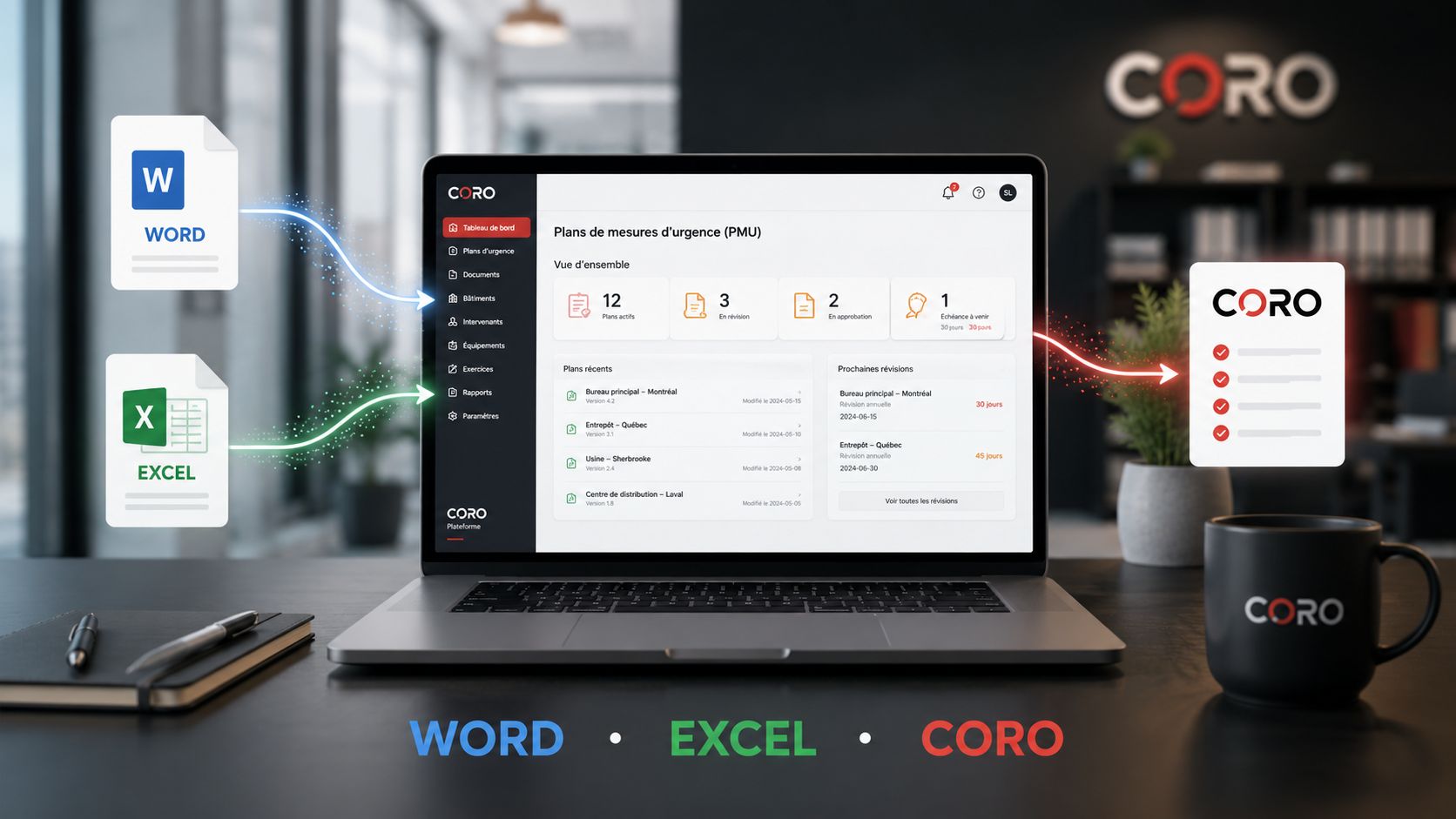
For many years, creating an Emergency Response Plan essentially meant drafting a Word document, building a few Excel spreadsheets, converting everything to PDF and storing the files in a shared folder.
This approach is still perfectly viable. For some organizations, it may even be entirely sufficient.
But as the number of facilities, stakeholders, procedures, responsibilities and revisions increases, managing an Emergency Response Plan becomes much more complex than simply maintaining a document.
So, should you manage your emergency response plan with Word, Excel or specialized software? The answer depends primarily on the size of your organization, the number of sites you manage and the level of control you need.
An Emergency Response Plan is more than a document
An Emergency Response Plan brings together the information an organization needs to prepare for and respond to different emergency situations: fire, power outage, gas leak, medical emergency, security threat, severe weather, evacuation or any other event that could affect occupants and operations.
But producing the initial document is only part of the process. Organizations must then keep information current, track changes, manage responsibilities, revise procedures and ensure that the people involved have access to the correct version.
The real question is therefore not simply: “Which tool should we use to write our Emergency Response Plan?”
It gradually becomes: “How should we manage its lifecycle?”
To first understand the purpose and structure of the document, read what is an Emergency Response Plan?
You can also read our complete guide on how to create an Emergency Response Plan for a business .
The three main approaches
Word
Excellent for writing, structuring and formatting a professional document.
- flexible;
- familiar;
- easy to export;
- well suited to occasional production.
Excel
Very effective for managing data, lists, tracking tools and registers related to the plan.
- sorting and filtering;
- structured lists;
- inventories;
- tracking tables.
Specialized software
Designed to centralize the document, underlying data, reviews and lifecycle.
- centralization;
- version control;
- collaboration;
- multi-site management.
Option 1 — Creating and managing an Emergency Response Plan with Word
Microsoft Word remains one of the most widely used tools for drafting Emergency Response Plans.
It is familiar to users, flexible and particularly effective when producing structured documents containing procedures, tables, images, diagrams and appendices.
Advantages of Word
- widely known and familiar to most users;
- highly flexible document formatting;
- easy integration of tables, images and procedures;
- ability to work offline;
- simple PDF export;
- limited additional cost when Microsoft 365 is already in use.
For a small organization with one facility and a relatively stable Emergency Response Plan, Word may be entirely sufficient.
The limitations become more apparent over time
Difficulties generally begin when several people edit the document or when multiple versions start circulating at the same time.
Files such as EmergencyPlan_Final.docx, EmergencyPlan_Final_v2.docx, EmergencyPlan_Final_REVISED.docx or EmergencyPlan_2026_APPROVED.pdf can quickly become familiar.
The problem is not necessarily Word itself.
Word is primarily a document-authoring tool. It is not a system for managing the lifecycle of an Emergency Response Plan.
Option 2 — Using Excel to manage Emergency Response Plan data
Excel is often used alongside Word to manage structured information: emergency personnel lists, contact information, inventories, training records, schedules and tracking registers.
Advantages of Excel
Structured data
Excel is especially effective for organizing large amounts of information into lists and tables.
Filters and sorting
Information can be grouped, filtered and sorted quickly.
Tracking
It can be used to monitor training, inspections, deadlines and responsibilities.
Complement to Word
Word can contain the plan while Excel manages certain supporting data.
But Excel is not a management system
Like Word, Excel is fundamentally file-based.
As the number of facilities, responsible personnel and documents increases, the organization must build its own processes to track changes and maintain consistency between different sources of information.
The real challenge: keeping the Emergency Response Plan up to date
Creating the initial plan is usually not the most difficult part. The real challenge often appears several months or years later.
A responsible person leaves the organization.
A phone number changes.
A tenant moves out or a space changes function.
An emergency procedure is modified.
Equipment or a building system is replaced.
A new person takes responsibility for an emergency function.
Individually, these changes may seem minor. Together, however, they can gradually make sections of the Emergency Response Plan inaccurate.
This is exactly the issue explored in our article on why emergency plans become outdated .
Option 3 — Using specialized Emergency Response Plan software
Emergency Response Plan software fundamentally changes the approach.
Instead of treating the plan solely as a file that must be produced, a specialized platform can manage the underlying information, documents and their evolution within a structured environment.
The document then becomes the result of a management process, rather than the only place where the information exists.
A specialized platform can help organizations:
- centralize facility and organizational information;
- structure the production of emergency plans;
- standardize documents;
- reuse information across multiple documents;
- manage document versions;
- track modifications;
- facilitate periodic reviews;
- centralize supporting documents;
- reduce the risks associated with scattered files.
Word, Excel and specialized software: comparison
| Criteria | Word | Excel | Specialized software |
|---|---|---|---|
| Procedure writing | Excellent | Limited | Excellent |
| Data management | Limited | Excellent | Excellent |
| Version management | Manual or external | Manual or external | Centralized |
| Collaboration | Possible | Possible | Integrated |
| Multi-site management | Complex | Complex | Designed for scale |
| Standardization | Manual | Manual | Structured |
| Lifecycle management | Limited | Limited | Centralized |
| PDF production | Yes | Yes | Yes, depending on the platform |
When is Word enough for an Emergency Response Plan?
It would be incorrect to suggest that every organization needs specialized software.
Word can remain an excellent solution when document complexity is limited.
- one facility;
- a limited number of documents to maintain;
- relatively few modifications;
- one clearly identified person responsible for the plan;
- a rigorous document control process already in place.
In this context, adding another technology platform could simply introduce complexity that is not necessary.
When should you move to Emergency Response Plan software?
The transition generally becomes worthwhile as organizational complexity increases.
Several signs may indicate that a file-based approach is beginning to reach its limits.
Multiple facilities must be managed.
Multiple Emergency Response Plans are maintained simultaneously.
Several people participate in reviews and updates.
It becomes difficult to determine which version is current.
The same information is duplicated across multiple documents.
Producing and updating plans requires significant administrative time.
At this stage, the question is no longer “which tool should we use to write our plan?” but “how can we efficiently manage the entire lifecycle of our emergency plans?”
A compliant Emergency Response Plan is not necessarily operational
Technology does not replace expertise, risk assessment, emergency exercises or personnel training.
An organization can have a perfectly structured document without that document being genuinely useful during an emergency.
Document quality and operational readiness must evolve together. A better tool does not compensate for an inadequate procedure or poorly defined emergency organization.
To explore this distinction further, read why a compliant emergency plan is not necessarily operational .
From file management to lifecycle management
The real evolution is not necessarily about replacing Word or Excel.
Both remain extremely useful tools.
The shift is from an approach where the file itself is the system to one where the file is produced by a structured system.
This approach becomes particularly relevant for organizations managing several types of operational documents: Emergency Response Plans, Fire Safety Plans, Business Continuity Plans, Crisis Management Plans and other resilience-related documentation.
You can also explore our centralized document management capabilities.
CORO: a platform designed to structure emergency plan management
CORO is a Canadian SaaS platform designed to structure the creation, management and monitoring of documents related to emergency management, fire safety, business continuity and organizational resilience.
The objective is not simply to replace a Word file.
CORO is designed to centralize the document lifecycle: information, production, document management, revisions, project tracking and collaboration.
Discover our solution for Emergency Response Plan management or read our article about Emergency Response Plan software .
Conclusion: Word, Excel or Emergency Response Plan software?
There is no single answer that applies to every organization.
Word
Excellent for writing and producing a professional document.
Excel
Excellent for structuring certain types of data and tracking information.
Specialized software
Particularly relevant when complexity, volume and control requirements increase.
For a relatively simple organization, Word and Excel may be entirely sufficient.
However, as the number of facilities, documents, users and revisions increases, specialized Emergency Response Plan software can help an organization move from basic file management to true document lifecycle management.
The best tool is not necessarily the most sophisticated one. It is the one that allows the organization to keep information structured, accessible, current and genuinely usable when it is needed.
Frequently asked questions
Can you create an Emergency Response Plan in Word?
Yes. Word is very well suited to drafting an Emergency Response Plan, particularly for organizations with a limited number of facilities and a relatively simple document management structure.
Is there software for creating Emergency Response Plans?
Yes. Specialized platforms can help organizations structure the creation, management, review and monitoring of Emergency Response Plans within a centralized environment.
Why use Emergency Response Plan software instead of Word?
The main advantage becomes apparent when multiple documents, facilities, users or versions must be managed. Specialized software can centralize information and provide a more structured approach to managing the document lifecycle.
Do Word and Excel become unnecessary with specialized software?
No. Word and Excel remain highly effective tools. A specialized platform is primarily intended to structure and centralize overall management rather than systematically eliminate those tools.
Move from file management to lifecycle management
CORO centralizes document production, facility data, projects, reviews, approvals and plan management within a single environment.
Discover Emergency Response Plan Management with CORO